Saturday, July 12, 2025

🔄 Mastering PROC TRANSPOSE in SAS: Convert Rows to Columns and Vice Versa

PROC TRANSPOSE is a powerful SAS procedure used to reshape data by converting rows into columns or columns into rows. Whether you're preparing datasets for reporting or statistical analysis, PROC TRANSPOSE can simplify your task with just a few lines of code.

Proc Transpose in SAS - Datahark

In this blog, you'll learn:

  • What is PROC TRANSPOSE?
  • When and why to use it
  • Syntax and options
  • Multiple real-world examples
  • Tips and tricks for efficient use


🔍 What is PROC TRANSPOSE in SAS?

PROC TRANSPOSE is used to pivot data—turning variables (columns) into observations (rows), or vice versa. It's especially useful for:

  • Summarizing repeated measures
  • Restructuring long or wide datasets
  • Preparing data for visualizations or modeling


📚 Basic Syntax of PROC TRANSPOSE

proc transpose data=input_data out=output_data <options>;
by variable(s); * Optional: groups data; id variable; * Optional: names for new columns; var variable(s); * Variables to transpose; run;

📌 Key Options Explained

OptionDescription
BYGroups data before transposing
VARSpecifies variables to transpose
IDUses values of a variable as new column names
NAME=Renames the default _NAME_ column
LABEL=Renames the default _LABEL_ column

✅ Example 1: Transposing Without BY or ID

🔹 Input Data

data sales;
input Quarter $ Sales; datalines; Q1 100 Q2 120 Q3 140 Q4 160 ;

🔹 Transpose Code

proc transpose data=sales out=sales_transposed;
var Sales; run;

🔹 Output

NAMECOL1COL2COL3COL4
Sales100120140160

✅ Example 2: Transposing with ID to Use Column Names

proc transpose data=sales out=sales_wide;
id Quarter; var Sales; run;

🔹 Output

NAMEQ1Q2Q3Q4
Sales100120140160

✅ Example 3: Transpose with BY Grouping

🔹 Input Data

data student_scores;
input Student $ Subject $ Score; datalines; John Math 85 John English 78 John Science 92 Anna Math 88 Anna English 91 Anna Science 84 ;

🔹 Transpose Code

proc sort data=student_scores;
by Student; run; proc transpose data=student_scores out=scores_wide; by Student; id Subject; var Score; run;

🔹 Output

StudentEnglishMathScience
John788592
Anna918884

✅ Example 4: Transposing Multiple Variables

data patient_data;
input ID $ Visit $ Height Weight; datalines; P1 Visit1 170 65 P1 Visit2 171 66 P2 Visit1 160 60 P2 Visit2 161 61 ;

🔹 Code

proc sort data=patient_data;
by ID; run; proc transpose data=patient_data out=trans_height prefix=Height_; by ID; id Visit; var Height; run; proc transpose data=patient_data out=trans_weight prefix=Weight_; by ID; id Visit; var Weight; run; data final_transposed; merge trans_height trans_weight; by ID; run;

🔹 Output

IDHeight_Visit1Height_Visit2Weight_Visit1Weight_Visit2
P11701716566
P21601616061

🧠 Tips for Using PROC TRANSPOSE

  • Always SORT your data before using BY.
  • Use the PREFIX= option to create meaningful column names.
  • Combine multiple transpositions for complex reshaping.
  • Use NAME= and LABEL= to rename the default variables _NAME_ and _LABEL_.


🔎 When to Use PROC TRANSPOSE

Use CasePROC TRANSPOSE?
Convert long to wide format✅ Yes
Convert wide to long format✅ Yes (reverse)
Reshape repeated measures✅ Yes
Change actual data values❌ No
Merge multiple reshaped tables✅ Yes

📈 Conclusion

PROC TRANSPOSE is an essential tool in any SAS programmer’s toolkit. It simplifies the process of reshaping data for reporting, analysis, and modeling. With a good understanding of BY, ID, and VAR options, you can handle almost any data transformation challenge.

Labels: , , , , , , , , , ,

Saturday, July 5, 2025

Changing Data Types Using INPUT Function in SAS

📌 Introduction

In data analysis, raw data often comes as character strings—even when the values are clearly numeric or dates. That’s where the INPUT function in SAS comes into play. It allows you to convert character data into numeric or date values, making it suitable for calculations, filtering, and modeling.

In this blog, we’ll cover:

  • What the INPUT function does
  • Syntax and parameters
  • Numeric and date conversion examples
  • Common pitfalls
  • Practical use cases
Input and Put


🧠 What is the INPUT Function in SAS?

The INPUT function converts a character string to a numeric or date value using a SAS informat.


🧾 Syntax

INPUT(source, informat.)

  • source: Character variable or string literal
  • informat: SAS informat (e.g., 8., mmddyy10., comma10., etc.)


🔍 Use Cases and Examples

✅ 1. Convert Character to Numeric

data convert_numeric;
char_value = '12345.67'; num_value = input(char_value, 8.2); /* Output: 12345.67 */ run;

✅ 2. Convert Character Date to SAS Date

data convert_date;
char_date = '02/15/2024'; sas_date = input(char_date, mmddyy10.); formatted = put(sas_date, date9.); /* Output: 15FEB2024 */ run;

✅ 3. Convert Formatted Numeric String

data comma_format;
char_value = '12,345'; num_value = input(char_value, comma6.); /* Output: 12345 */ run;

⚠️ Common Errors to Avoid

MistakeWhy It's a Problem
Using INPUT on numeric dataIt expects character input; gives wrong results
Missing or incorrect informatFails to interpret the data accurately
Wrong lengthCan truncate or misread values

💡 Best Practices

  • Use INPUT with raw data imports from Excel, CSV, or flat files.
  • Always match the correct informat to the incoming string format.
  • Combine with PUT to round-trip between formats:

num = input(char, 8.);
char = put(num, 8.);

🧪 Real-Life Example: Reading Survey Scores

Suppose you receive survey data as text:

data survey;
raw_score = '87.5'; numeric_score = input(raw_score, 4.1); run;

You can now calculate average scores, grades, or segments based on numeric_score.


🏁 Conclusion

The INPUT function is your go-to for type conversion in SAS. Whether you’re reading numeric values from character fields or parsing dates from strings, mastering INPUT helps you unlock the full power of SAS analytics.

Labels: , , , , , , , , , ,

Formatting Numbers with the PUT Function in SAS

 📌 Introduction

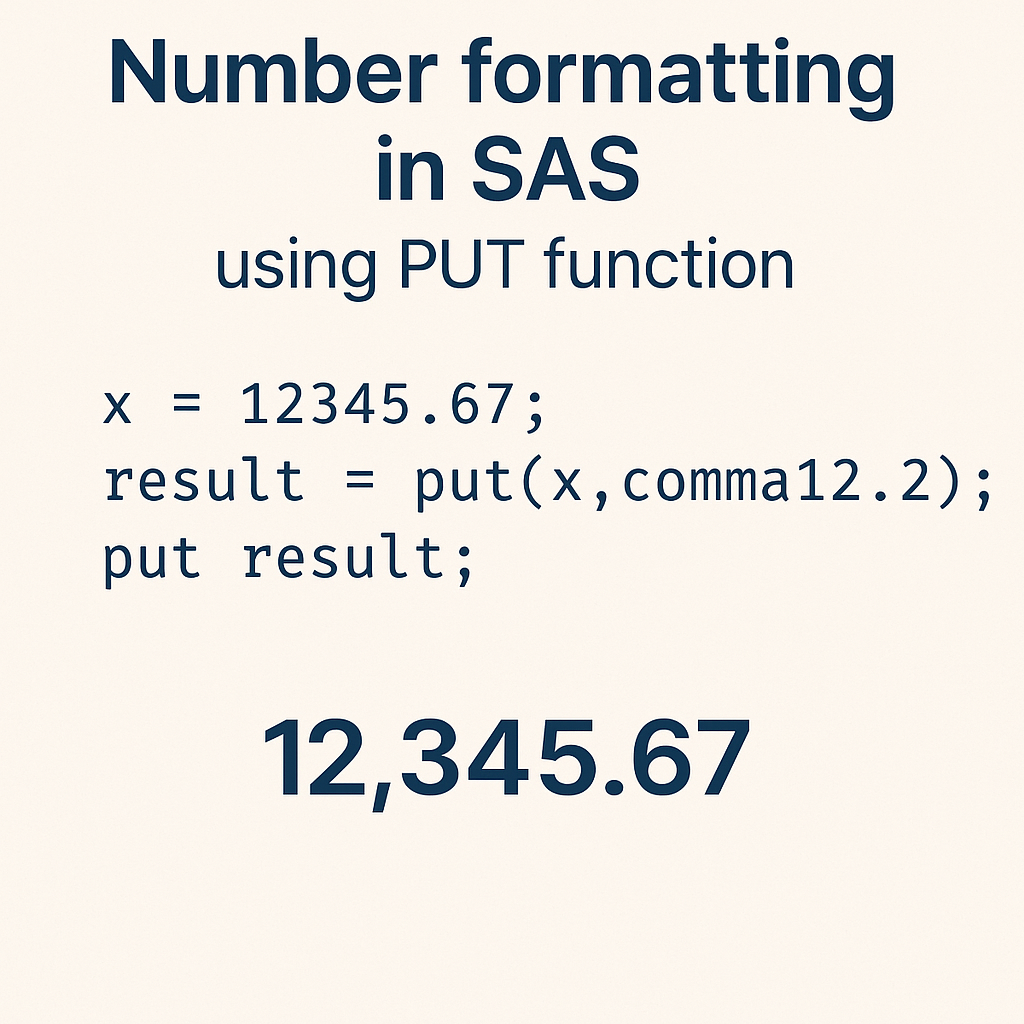
In SAS programming, presenting data in a readable and meaningful way is essential—especially in reports and dashboards. That’s where the PUT function becomes a powerful tool. This function allows you to convert numeric or date values into formatted character strings, making your output more user-friendly.

Put Function in SAS

In this blog, you’ll learn:

  • What the PUT function does
  • Syntax and usage
  • Examples using numeric, date, and categorical formats
  • Real-world applications
  • Tips & best practices


🧠 What is the PUT Function in SAS?

The PUT function in SAS is used to:

  • Convert numeric or date values to character values
  • Apply a specific format such as currency, date, percent, or custom user-defined formats


🧾 Syntax


PUT(source, format.)

  • source: The variable or value you want to format
  • format: A SAS format (e.g., dollar8.2, date9., percent6.2, etc.)


🔍 Common Use Cases of PUT Function

✅ 1. Format Numeric to Currency

data currency_format;
amount = 12345.678; formatted_amt = put(amount, dollar10.2); /* $12,345.68 */ run;

✅ 2. Convert Date to Readable Format

data date_format;
raw_date = '01jan2024'd; formatted_date = put(raw_date, date9.); /* 01JAN2024 */ run;

✅ 3. Convert Numeric Code to Label using Format

Assume we have a user-defined format for regions:

proc format;
value regionfmt 1 = 'North' 2 = 'South' 3 = 'East' 4 = 'West'; run; data region_label; region_code = 2; region_name = put(region_code, regionfmt.); run;

🧪 Real-Life Example: Sales Report Formatting

Suppose you're generating a report with sales data:

data sales;
id = 101; sale_amount = 24999.5; sale_date = '15feb2024'd; formatted_amt = put(sale_amount, dollar12.2); formatted_date = put(sale_date, worddate18.); run;

📌 Output:

  • formatted_amt = $24,999.50
  • formatted_date = February 15, 2024


💡 Best Practices

  • Always ensure the width in the format is large enough for your values, or it may display *****.
  • Use PUT only to convert to character values. For character to numeric, use INPUT.
  • Pair PUT with user-defined formats for readable labels in reports and visualizations.


❗ Common Mistakes to Avoid

MistakeWhy It's a Problem
Using PUT on a character valueWon’t change the format — use INPUT to convert first
Not specifying enough widthResults in truncated or ***** output
Forgetting to end format with a dot (.)Syntax error in SAS

🏁 Conclusion

The PUT function is a fundamental tool in SAS for formatting your output—whether it's turning raw numbers into currency, making dates human-readable, or converting codes into labels.

By mastering this function, you’ll significantly improve the clarity and professionalism of your SAS reports.

Labels: , , , , , , , , , ,