Saturday, July 12, 2025

📆 SAS Date Interval Functions Explained: INTNX vs INTCK with Examples

Date manipulation is a core part of data analysis in SAS. When working with time series, financial models, or scheduling, calculating intervals and moving dates is essential. That’s where SAS functions like INTNX and INTCK come in.

SAS Date Functions - INTNX and INTCK

In this blog post, we will explore:

  • What are INTNX and INTCK functions?
  • Complete syntax and arguments
  • Important options
  • Practical real-life examples
  • Comparison and use-cases

🔍 What is INTNX in SAS?

The INTNX (Interval Next) function adds a specified number of intervals to a date or datetime and returns a new date.

📌 Syntax:

INTNX(interval, start-from, increment <, 'alignment' <, method>>)

✅ Arguments:

ParameterDescription
intervalThe type of interval to add (e.g., day, week, month, year).
start-fromThe base SAS date or datetime value.
incrementNumber of intervals to move forward or backward.
'alignment' (optional)'BEGINNING', 'MIDDLE', 'END', 'SAME' (default is 'BEGINNING').
method (optional)'S' (simple), 'C' (concurrent), or 'E' (end of period alignment).

🧪 INTNX Examples

Example 1: Add 3 months to a date

data result;
new_date = intnx('month', '01JAN2024'd, 3); format new_date date9.; run;

Output: 01APR2024


Example 2: Move 2 years back and align to end of year

data result;
year_end = intnx('year', '15JUL2024'd, -2, 'END'); format year_end date9.; run;

Output: 31DEC2022


Example 3: Use 'SAME' alignment

data result;
same_date = intnx('month', '10JAN2024'd, 1, 'SAME'); format same_date date9.; run;

Output: 10FEB2024


🧠 Pro Tip:

You can use INTNX with time intervals too, like 'hour', 'minute', 'qtr', 'dtday', etc.


⏳ What is INTCK in SAS?

The INTCK (Interval Check) function calculates the number of intervals between two dates or datetimes.

📌 Syntax:

INTCK(interval, start, end <, 'method'>)

✅ Arguments:

ParameterDescription
intervalType of interval (e.g., day, week, month, year).
startStarting SAS date or datetime.
endEnding SAS date or datetime.
'method' (optional)'C' (continuous), 'D' (discrete), or 'S' (simple)

🧪 INTCK Examples

Example 1: Count number of months between two dates

data result;
month_diff = intck('month', '01JAN2023'd, '01JUL2023'd); run;

Output: 6


Example 2: Days between two dates

data result;
day_diff = intck('day', '15MAR2023'd, '20APR2023'd); run;

Output: 36


Example 3: Count number of years using 'CONTINUOUS' method

data result;
year_cont = intck('year', '31DEC2019'd, '01JAN2021'd, 'C'); run;

Output: 2


🔄 INTNX vs INTCK in SAS

FeatureINTNXINTCK
PurposeMove a date forward/backwardCalculate number of intervals
ReturnsDate or datetime valueInteger (count of intervals)
Optional ArgAlignment ('BEGINNING', etc.)Method ('C', 'D', 'S')
Use CaseScheduling future/past eventsAnalyzing gaps/durations

📘 Common Intervals in SAS

Interval TypeExampleDescription
day'day'Daily interval
week'week'Weekly interval
month'month'Monthly interval
qtr'qtr'Quarterly interval
year'year'Yearly interval
dtday'dtday'Datetime day interval
hour'hour'Hour interval

🛠 Real-World Use Cases

🧾 1. Loan Payment Schedules

due_date = intnx('month', start_date, 12, 'END');

📊 2. Monthly Sales Comparison

month_diff = intck('month', previous_sale, current_sale);

🧑‍💼 3. Employee Tenure Calculation

years_worked = intck('year', hire_date, today());

🎯 Tips for Using INTNX and INTCK

  • Always format the date with FORMAT datevar DATE9. or DATETIME20..
  • Use 'SAME' alignment when you want the exact day repeated.
  • Prefer 'C' method in INTCK for financial year or continuous interval calculations.


🧾 Summary

FunctionPurposeReturnsKey Argument
INTNXAdd intervals to a dateDate'alignment'
INTCKCount intervals between two datesInteger'method'

Both INTNX and INTCK are indispensable tools in time-based analysis in SAS. Whether you’re calculating tenure, creating forecasts, or aligning schedules, mastering these functions will significantly enhance your date handling capabilities.

Click here to Read more »

Labels: , , , , , , , , , , , , ,

Saturday, July 5, 2025

Changing Data Types Using INPUT Function in SAS

📌 Introduction

In data analysis, raw data often comes as character strings—even when the values are clearly numeric or dates. That’s where the INPUT function in SAS comes into play. It allows you to convert character data into numeric or date values, making it suitable for calculations, filtering, and modeling.

In this blog, we’ll cover:

  • What the INPUT function does
  • Syntax and parameters
  • Numeric and date conversion examples
  • Common pitfalls
  • Practical use cases
Input and Put


🧠 What is the INPUT Function in SAS?

The INPUT function converts a character string to a numeric or date value using a SAS informat.


🧾 Syntax

INPUT(source, informat.)

  • source: Character variable or string literal
  • informat: SAS informat (e.g., 8., mmddyy10., comma10., etc.)


🔍 Use Cases and Examples

✅ 1. Convert Character to Numeric

data convert_numeric;
char_value = '12345.67'; num_value = input(char_value, 8.2); /* Output: 12345.67 */ run;

✅ 2. Convert Character Date to SAS Date

data convert_date;
char_date = '02/15/2024'; sas_date = input(char_date, mmddyy10.); formatted = put(sas_date, date9.); /* Output: 15FEB2024 */ run;

✅ 3. Convert Formatted Numeric String

data comma_format;
char_value = '12,345'; num_value = input(char_value, comma6.); /* Output: 12345 */ run;

⚠️ Common Errors to Avoid

MistakeWhy It's a Problem
Using INPUT on numeric dataIt expects character input; gives wrong results
Missing or incorrect informatFails to interpret the data accurately
Wrong lengthCan truncate or misread values

💡 Best Practices

  • Use INPUT with raw data imports from Excel, CSV, or flat files.
  • Always match the correct informat to the incoming string format.
  • Combine with PUT to round-trip between formats:

num = input(char, 8.);
char = put(num, 8.);

🧪 Real-Life Example: Reading Survey Scores

Suppose you receive survey data as text:

data survey;
raw_score = '87.5'; numeric_score = input(raw_score, 4.1); run;

You can now calculate average scores, grades, or segments based on numeric_score.


🏁 Conclusion

The INPUT function is your go-to for type conversion in SAS. Whether you’re reading numeric values from character fields or parsing dates from strings, mastering INPUT helps you unlock the full power of SAS analytics.

Labels: , , , , , , , , , ,

Formatting Numbers with the PUT Function in SAS

 📌 Introduction

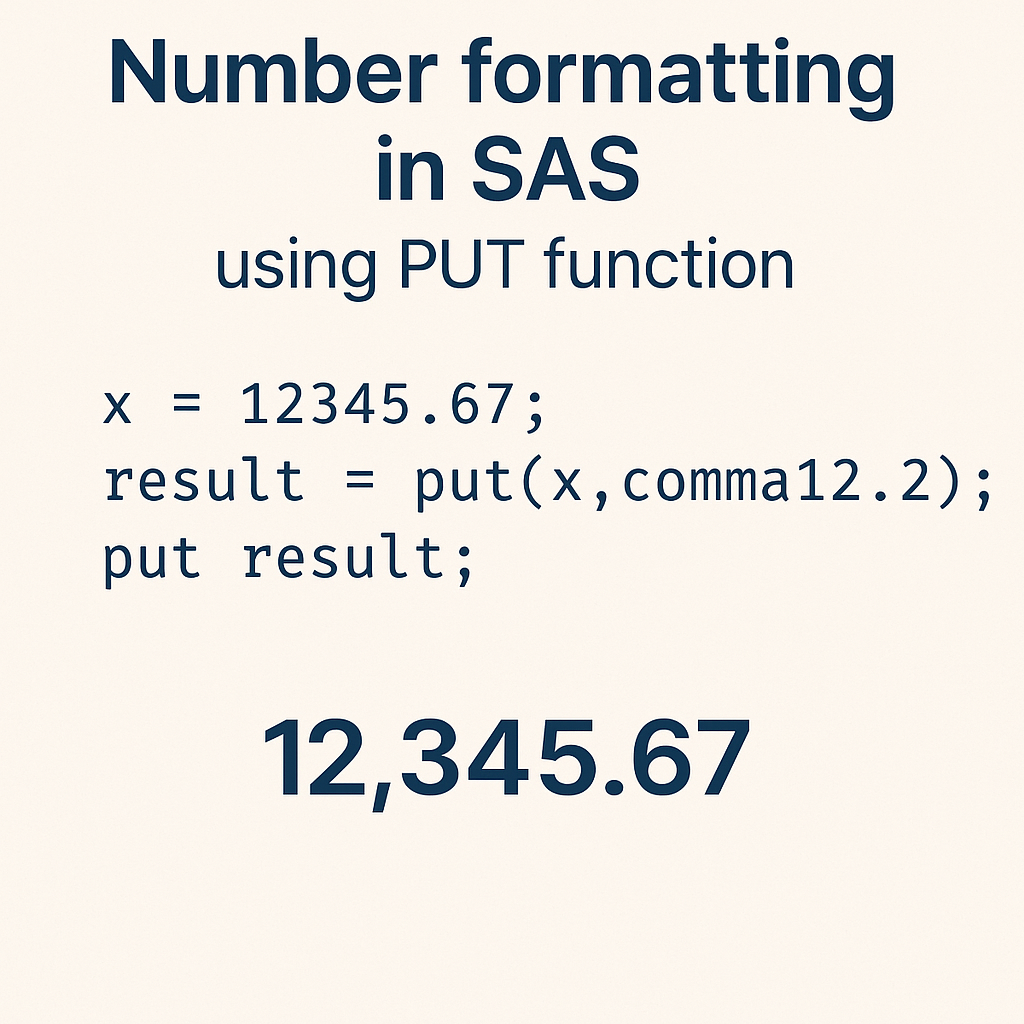
In SAS programming, presenting data in a readable and meaningful way is essential—especially in reports and dashboards. That’s where the PUT function becomes a powerful tool. This function allows you to convert numeric or date values into formatted character strings, making your output more user-friendly.

Put Function in SAS

In this blog, you’ll learn:

  • What the PUT function does
  • Syntax and usage
  • Examples using numeric, date, and categorical formats
  • Real-world applications
  • Tips & best practices


🧠 What is the PUT Function in SAS?

The PUT function in SAS is used to:

  • Convert numeric or date values to character values
  • Apply a specific format such as currency, date, percent, or custom user-defined formats


🧾 Syntax


PUT(source, format.)

  • source: The variable or value you want to format
  • format: A SAS format (e.g., dollar8.2, date9., percent6.2, etc.)


🔍 Common Use Cases of PUT Function

✅ 1. Format Numeric to Currency

data currency_format;
amount = 12345.678; formatted_amt = put(amount, dollar10.2); /* $12,345.68 */ run;

✅ 2. Convert Date to Readable Format

data date_format;
raw_date = '01jan2024'd; formatted_date = put(raw_date, date9.); /* 01JAN2024 */ run;

✅ 3. Convert Numeric Code to Label using Format

Assume we have a user-defined format for regions:

proc format;
value regionfmt 1 = 'North' 2 = 'South' 3 = 'East' 4 = 'West'; run; data region_label; region_code = 2; region_name = put(region_code, regionfmt.); run;

🧪 Real-Life Example: Sales Report Formatting

Suppose you're generating a report with sales data:

data sales;
id = 101; sale_amount = 24999.5; sale_date = '15feb2024'd; formatted_amt = put(sale_amount, dollar12.2); formatted_date = put(sale_date, worddate18.); run;

📌 Output:

  • formatted_amt = $24,999.50
  • formatted_date = February 15, 2024


💡 Best Practices

  • Always ensure the width in the format is large enough for your values, or it may display *****.
  • Use PUT only to convert to character values. For character to numeric, use INPUT.
  • Pair PUT with user-defined formats for readable labels in reports and visualizations.


❗ Common Mistakes to Avoid

MistakeWhy It's a Problem
Using PUT on a character valueWon’t change the format — use INPUT to convert first
Not specifying enough widthResults in truncated or ***** output
Forgetting to end format with a dot (.)Syntax error in SAS

🏁 Conclusion

The PUT function is a fundamental tool in SAS for formatting your output—whether it's turning raw numbers into currency, making dates human-readable, or converting codes into labels.

By mastering this function, you’ll significantly improve the clarity and professionalism of your SAS reports.

Labels: , , , , , , , , , ,

Monday, December 28, 2020

SCAN Function | SAS Character Functions

 SCAN Function returns the nth word from a character string.

Syntax - 

SCAN(string/Variable, count, Delimiter, Modifier);

String/Variable  - 

This is the source Value from where we want to extract the nth Word.

Count -

Non zero positive or negative numeric value. If count is positive, SCAN function start search from left to right. If count is negative, SCAN function start search from right to left.

Delimiter - 

It's optional argument, any Character value or Special Character can be used as a delimiter, if left blank then the default delimiters are ! $ % & ( ) * + , - . / ; < ^ ~ |

Modifier

Specifies a character constant, variable, or expression in which each non-blank character modifies the action of the SCAN function. Blanks are ignored. 

Example - 

DATA A;
Title_Name='Datahark - Every Data is a Story';
First_word=scan(Title_Name,1);
Second_word=scan(Title_Name,2);
a=scan(Title_Name,2,'-');
Last_word=scan(Title_Name,-1);
Second_Last_word=scan(Title_Name,-2);
b=scan(Title_Name,-2);
run;

Proc Print Data=a; 
run;


See the Value of each variable in output and understand the difference - 

  • First_word=scan(Title_Name,1);  -> This Extract the First string i.e. Datahark 
  • Second_word=scan(Title_Name,2); -> This Extract the second string i.e. Every
  • a=scan(Title_Name,2,'-'); -> We have specified delimiter as '-' so it considered ' Every Data is a Story' as a second value.
  • Last_word=scan(Title_Name,-1); -> Negative count Extracted last Value: Story
  • Second_Last_word=scan(Title_Name,-2); -> Negative count Extracted second last Value: a
  • b=scan(Title_Name,-2,'-'); -> Negative count and Delimiter is '-' so it considered ' Every Data is a Story' as first word and we have specified -2 in count so gives second last value as 'Datahark '

Subscribe to DataHark by Email

Labels: , , , ,

Tuesday, December 22, 2020

SAS ETL: A Complete Guide to Extract, Transform, and Load in SAS

SAS ETL - We sometime heard this Term "ETL" from big companies, Job posted for SAS ETL Developer, so Lets see what is SAS ETL exactly.

"ETL" Means - Extract Transform and Load - Its a type of Data Integration tool which is used to blend data from different Sources.

In the world of data analytics, ETL (Extract, Transform, Load) plays a crucial role in preparing data for analysis and reporting. In this blog post, we will explore how ETL processes are implemented in SAS (Statistical Analysis System)—a powerful tool widely used in data management, analytics, and business intelligence.

Whether you're a beginner or a data professional, understanding SAS ETL is essential for managing and transforming large volumes of data efficiently.

SAS ETL

🔍 What is ETL?

ETL stands for:

  • Extract: Retrieving raw data from multiple sources (databases, Excel files, text files, web sources, etc.)
  • Transform: Cleaning, standardizing, and reshaping data to suit your business needs.
  • Load: Importing the processed data into a target system such as a data warehouse or analytical platform.

SAS provides robust tools and procedures to handle all three stages with precision and scalability.


📥 Extracting Data Using SAS

The data extraction phase involves connecting to different data sources using SAS libraries, PROC IMPORT, or LIBNAME statements. SAS can extract data from:

  • Excel and CSV files
  • SQL databases (Oracle, MySQL, SQL Server, etc.)
  • Cloud-based storage or Hadoop
  • Web sources via APIs

Example:

libname mydb odbc dsn='SalesDB' user='admin' password='xyz123';

This command connects SAS to a SQL database and allows direct access to tables for extraction.


🔄 Transforming Data in SAS

The transformation step is where the real magic happens. You can use SAS procedures, data step programming, and functions to clean and prepare data:

  • Filtering and sorting (PROC SORT, WHERE clauses)
  • Merging datasets (MERGE, PROC SQL JOIN)
  • Creating calculated fields
  • Handling missing values
  • Aggregating data using PROC MEANS, PROC SUMMARY, or PROC SQL

Example:

data sales_clean;
set sales_raw; if sales > 0; revenue = quantity * price; run;

📦 Loading Data in SAS

The final step is loading the transformed data into a target destination for reporting or visualization. In SAS, you can:

  • Save datasets using the DATA step
  • Export to Excel/CSV using PROC EXPORT
  • Load into relational databases via LIBNAME or PROC SQL

Example:

proc export data=sales_clean
outfile="C:\Reports\Cleaned_Sales.csv" dbms=csv replace; run;

Click here to Read more »

Labels: , , , , ,

Sunday, December 20, 2020

Understanding the SUBSTR Function in SAS: A Complete Guide

When working with character data in SAS, extracting parts of strings is a common task. Whether you're cleaning raw data or generating new variables, the SUBSTR function becomes an essential tool in your SAS programming toolbox.

In this blog post, we'll break down what the SUBSTR function does, how it works, and provide real-world examples to help you master its usage.

Substr function

🔍 What is the SUBSTR Function in SAS?

The SUBSTR function in SAS is used to extract a substring from a character variable or string. You can specify the starting position and the length of the substring you want to extract.

Syntax:

SUBSTR(string, start-position <, length>)

  • string: The character string or variable.
  • start-position: The starting position (1-based index).
  • length (optional): Number of characters to extract. If omitted, the substring continues to the end of the string.

✅ Key Features of SUBSTR

  • It is case-sensitive.
  • Can be used both on the left-hand side (LHS) and right-hand side (RHS) of assignment.
  • Useful for data cleaning, transformation, and feature engineering.

🧪 Examples of SUBSTR in Action

Example 1: Extracting a Substring from a Character Variable

data example1;
name = "JohnDoe"; first_name = substr(name, 1, 4); /* Extracts 'John' */ run;

Example 2: Using SUBSTR Without Length (Extract till End)

data example2;
id = "EMP12345"; emp_code = substr(id, 4); /* Extracts '12345' */ run;

Example 3: Using SUBSTR on the Left Side to Modify a String

data example3;
phone = "9876543210"; substr(phone, 1, 3) = "999"; /* Replaces first 3 characters */ run;

⚠️ Common Pitfalls

  • Position starts at 1, not 0 like in some other programming languages.
  • If the start-position exceeds the string length, SUBSTR returns a blank.
  • If you try to modify a variable using SUBSTR on LHS, ensure the variable has enough allocated length.

📌 Use Cases in Real-world SAS Programming

  • Extracting codes from structured IDs (e.g., EMP001, PROD2023)
  • Parsing CSV or fixed-width text fields
  • Replacing characters at specific positions
  • Creating derived variables for reports and models

💡 Tips for Using SUBSTR Effectively

  • Combine SUBSTR with INDEX, SCAN, or FIND for dynamic substring extraction.
  • Always use the LENGTH statement to define the expected length of output variables.
  • For numeric values, convert using PUT() before applying SUBSTR.

🧭 Conclusion

The SUBSTR function is a versatile tool in SAS that enables efficient string manipulation. Mastering it not only simplifies your data processing tasks but also enhances your ability to handle messy or semi-structured data with ease.

Labels: , , , ,